
Wifi Analyzer
Unknown, from Build Store
- Version
- 26.1
- Released
- Nov 17, 2025
- Size
- 11.2 MB
- Bundle ID
- utilities.
wifi-analyzer-dns-speedtest
Screenshots
What's new in 26.1
WiFi Analyzer – DNS Speed Test: Pro Features Unlocked
This version of WiFi Analyzer – DNS Speed Test is modified to unlock the Pro subscription, allowing users full access to all premium functionalities without restrictions. By pressing the Upgrade to Pro option, all features become available instantly.
Key Enhancements:
All Pro features unlocked: Access advanced network analysis and DNS speed testing tools.No subscription required: Enjoy premium capabilities without any payment or activation steps.
About
WIFI Analyzer - DNS SpeedTest puts a full network diagnostics kit on your iPhone. Download the WIFI Analyzer IPA for iOS to check connection details, test speeds and troubleshoot your Wi-Fi without touching a laptop.
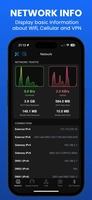
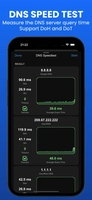
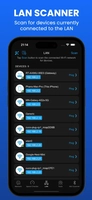
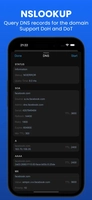
The app reads out everything about your current network — SSID, BSSID, IP address, gateway and DNS servers — then lets you dig deeper with a DNS speed test (DoH and DoT supported), upload/download speed checks, a LAN scanner for every connected device, ping and traceroute tools, a port scanner, and a Bluetooth scanner for nearby devices. An iOS 14 home screen widget keeps key stats visible without opening the app.
Key Features
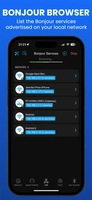
Full network info: SSID, BSSID, IP, gateway, DNS and moreDNS speed test and lookup with DoH/DoT supportUpload/download speed checkerLAN scanner, Wake-on-LAN and Bonjour service browserPing test, traceroute and port scannerBluetooth scanner with signal strength and distanceiOS 14 home screen widget
Get WIFI Analyzer on builds.io — download the IPA and install it on your iPhone in one tap, no PC.
Share or follow
https://iparr.amirulandalib.eu.org/app/buildstore/utilities.wifi-analyzer-dns-speedtest