- Version
- 1.9.1
- Released
- Sep 24, 2026
- Size
- 51.4 MB
- Bundle ID
- productivity-business.
quanto
Screenshots

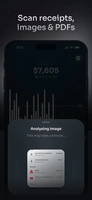
What's new in 1.9.1
What’s unlocked in this update
The Quanto: Budget Expense Tracker mod for iPhone now skips the purchase page, letting you open the app without stopping at the paywall.
About
Quanto is a smart expense tracker for iPhone and iPad. If you want a faster way to log spending, download Quanto IPA for iPhone and manage expenses with AI-assisted entry, private local storage, and one-tap installs through builds.io — no PC required.
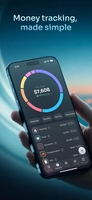
Quanto is built for people who want a clear view of their money without connecting a bank account. You can capture a receipt, paste in a screenshot from a payment app or transfer screen, import a PDF statement, dictate several expenses at once, or enter items manually in just a few taps. It also handles foreign-currency spending by converting amounts as you add them, which makes travel and mixed-currency tracking much easier.
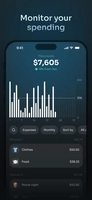
Beyond entry, Quanto helps you understand where your money goes. Its reports can be viewed by day, week, month, quarter, year, or any custom range, and you can break spending down by category to see the details behind each total. It also compares income and expenses, shows what is left for the current month, and gives you a calendar view of daily net position. Filters for account, category, type, amount, and date make it easy to narrow things down.
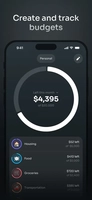
Budgets and recurring payments are part of the workflow too. You can set weekly or monthly budgets, keep more than one budget active, assign category limits, and monitor what remains in the current period. Repeating expenses are tracked with their billing cycle, next renewal date, linked account, monthly and annual cost, and total paid so far. Quanto also keeps cash, cards, and accounts separate while still showing your overall net worth in one place.
What the Quanto for iOS app offers
AI reads merchant names and amounts from receipt scansImport screenshots, transfer receipts, and payment confirmationsExtract every transaction from a PDF bank statement in one passVoice entry can capture multiple expenses in a single sentenceManual entry is available when you want to type things in directlyAutomatic currency conversion for expenses paid in another currencySpending reports by time period, category, and custom date rangeIncome vs expense analytics and month-left trackingWeekly and monthly budgets with per-category limitsRecurring expense tracking with cycle, renewal date, and totalsLocal on-device storage, Face ID lock, and a one-tap balance blurBackup and export options, including CSV and cloud or local storage
Get the Quanto tweak on builds.io — download the IPA and install it on your iPhone in one tap, no PC.
Share or follow
https://iparr.amirulandalib.eu.org/app/buildstore/productivity-business.quanto