
Flowdia Diagrams
Unknown, from Build Store
- Version
- 1.15.6
- Released
- Jun 07, 2025
- Size
- 5.5 MB
- Bundle ID
- productivity-business.
flowdia
Screenshots
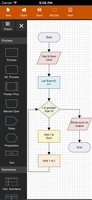
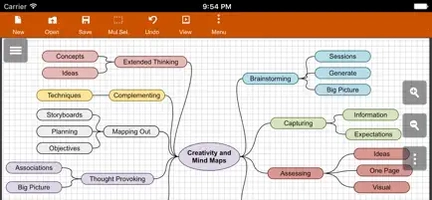
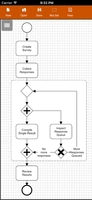
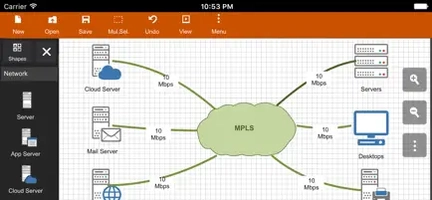
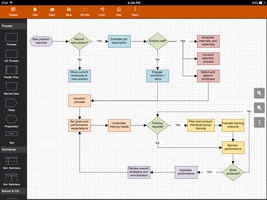
What's new in 1.15.6
Premium Access Enabled
The app has been modified with Satella integration to unlock the premium version, allowing users to access premium features without purchasing officially. This tweak provides unrestricted usage of Flowdia's full capabilities including advanced diagram types, export options, and customization tools.
Key Benefits
Full premium features unlockedNo in-app purchase requiredSeamless integration with Satella
About
Flowdia is a powerful and easy-to-use flow diagram tool designed to help users create professional-quality diagrams with speed and precision. Whether you are working on flowcharts, mind maps, BPMN, network and server layouts, or UML diagrams, Flowdia provides all the necessary tools to visualize complex processes clearly and effectively.
With a user-friendly interface, Flowdia emphasizes simplicity and efficiency. You can quickly connect flowchart shapes by selecting start and end points, add new lanes to swimlane diagrams or add sub-topics to mind maps with just a click of the “+” button from the corresponding shape menu. Mind map sub-topics are automatically arranged for optimal layout, yet they can be repositioned easily as needed.
The app supports exporting your diagrams in multiple popular formats including PNG, JPG, PDF, and SVG. Exported SVG files are fully compatible with programs like Microsoft Visio, making it easy to integrate your work with other professional tools. Additionally, you can import custom PNG and JPG images to embed within your diagrams, enhancing their visual appeal.
Supported Diagram Types
FlowchartSwimlanesMind MapsBPMN (Business Process Model and Notation)Network DiagramAWS Architecture DiagramCisco Network DiagramServer Layout DiagramRack DiagramUML Class DiagramUML Activity DiagramUML Use Case DiagramUML Sequence DiagramBusiness Process DiagramProcess Flow DiagramChevron Diagram## Key Features
Intuitive connections: Easily connect shapes by selecting connection points.Dynamic elements: Add lanes or sub-topics with simple menu options.Customizable shapes: Resize without loss of quality, and adjust background and font colors.BPMN shape selector: Quickly change activity, event, and gateway types within BPMN diagrams.Multi-format export: Save diagrams as PNG, JPG, PDF, or SVG files.Image import: Insert custom images in PNG or JPG format.## Why Choose Flowdia?
Flowdia helps professionals and teams streamline their diagramming workflows, offering a balanced mix of usability and versatility. Whether designing simple flowcharts or complex network layouts, Flowdia provides the tools needed for clear communication and documentation.
Share or follow
https://iparr.amirulandalib.eu.org/app/buildstore/productivity-business.flowdia