Web Video Cast
Unknown, from Build Store
- Version
- 2.52
- Released
- Mar 16, 2026
- Size
- 65.6 MB
- Bundle ID
- media-apps.
web-video-caster
Screenshots
What's new in 2.52
No description
About
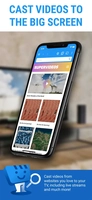
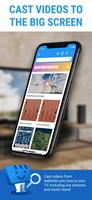
Web Video Caster® is a powerful application designed to stream videos from your favorite websites directly to your TV. Whether it's movies, TV shows, live news, or sports, this app lets you effortlessly enjoy your preferred online content on a larger screen for an enhanced viewing experience.
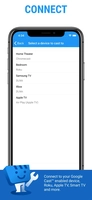
The app supports a wide array of streaming devices, allowing you to connect and cast videos seamlessly. From popular streaming gadgets to smart TVs, Web Video Caster® ensures broad compatibility to accommodate your entertainment setup.
Supported Streaming Devices
Google Cast devices: Chromecast, Android TV, Chromecast built-inDLNA devices: Includes Xbox, Samsung TVs, LG TVs and moreRoku family: Roku, Roku stick, and Roku TVsApple TV 4****Fire TV: Fire TV and Fire TV stickPlayStation 4 via its web browserMost web browsers: Access casting through supported browsers on various smart TVs, consoles, and set-top boxes## Supported Media Formats
HLS live streams: in M3U8 format (not supported by Chromecast and most DLNA devices)Authenticated videos: includes licensed movies and TV showsMP4 videosLive news and sports broadcastsHTML5 videos from websites
Please note that your streaming device must be capable of decoding the video format you are playing. Web Video Caster® itself does not perform any video or audio decoding or transcoding.
How Web Video Caster® Works
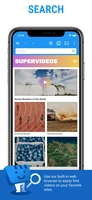
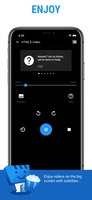
This app functions as a specialized browser that locates and extracts the video URL embedded within a web page. Instead of playing the video on your mobile device, it sends the URL directly to your streaming device. The video then plays on your TV by streaming from the original content provider’s server. This approach conserves your mobile device’s battery life during playback. The app also detects available subtitles on web pages to enhance your viewing options.
Importantly, Web Video Caster® does not host any videos or media content – it strictly serves as a conduit for streaming content hosted elsewhere. This is not a screen mirroring app; instead, the streaming device plays the content natively.
Get Started in Just a Few Steps
Browse online to find a video you want to watch.Ensure that the video can be played in mobile browsers without requiring Flash.Connect your mobile device to your streaming device or smart TV.Play the video through the app’s interface or select the play button in the toolbar to begin casting.
Limitations and Important Notes
The app is not affiliated with any web media providers and does not control third-party content.Flash and FLV video formats are not supported.The app does not support tab casting such as the Chromecast browser extension for PCs.Playback issues related to the content provider’s server side, including buffering and failure to play, are beyond the app’s control and may occur during peak usage times.
Customer Support and Feedback
We encourage open communication to provide the best user experience possible. Please reach out to support first for any questions or technical issues instead of leaving a review immediately. The team is committed to responding promptly and addressing your concerns to ensure smooth usage of the app.
Also listed in 1 other source
The same app in other sources, newest first. Check the source before you install.
| Source | Name | Version | Released | Size | Actions |
|---|---|---|---|---|---|
| Minoa's Combined | WebVideoCast | 2.48 | Oct 25, 2025 | 45.8 MB | Get |
Share or follow
https://iparr.amirulandalib.eu.org/app/buildstore/media-apps.web-video-caster