
MiruShin
emp0ry, from Altmaker by RipeStore
Your anime, movies, and shows: discover, track, and watch in one beautiful app
- Version
- 2.9.6
- Released
- Sep 27, 2026
- Size
- 30.2 MB
- Needs iOS
- 15.0 or later
- Category
- Entertainment
- Bundle ID
- com.
emp0ry. mirushin
Screenshots

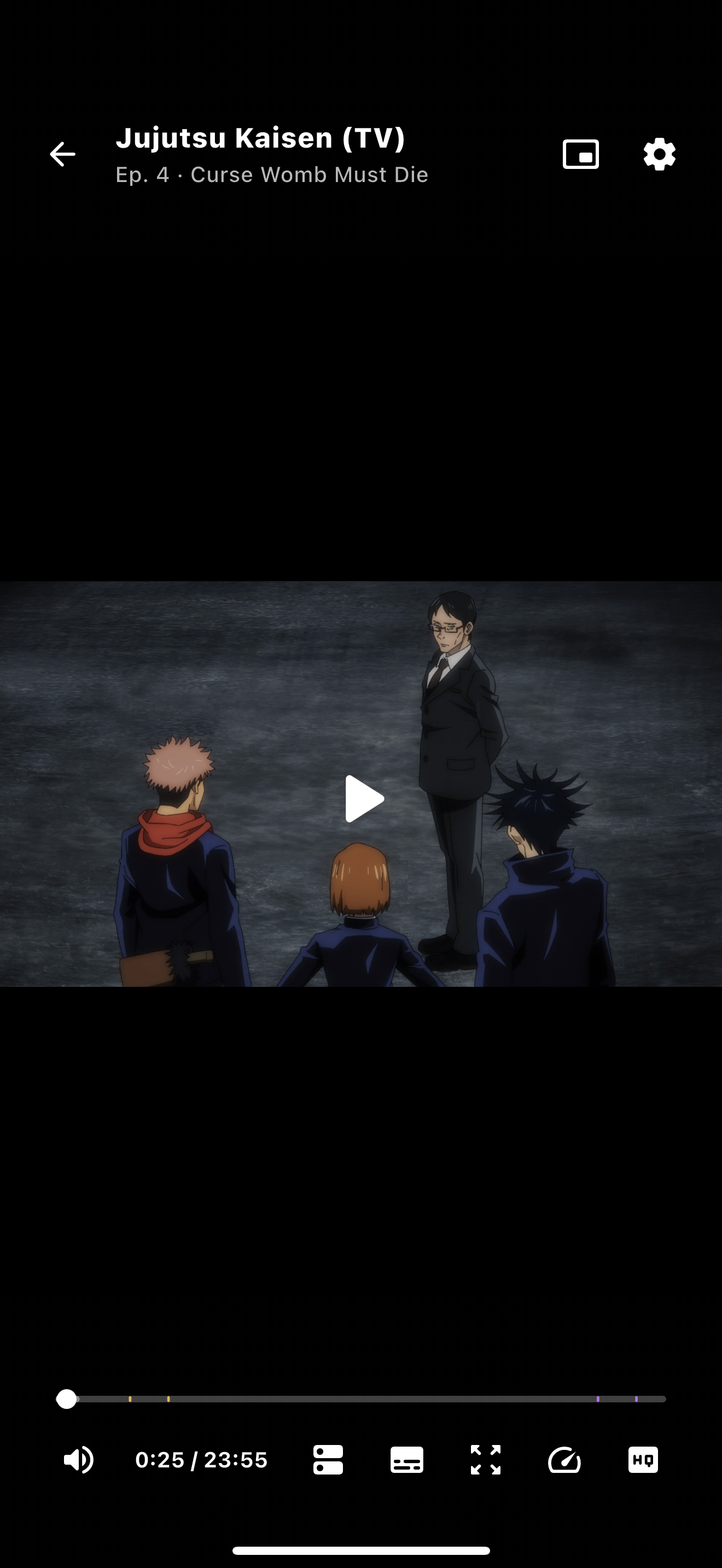
What's new in 2.9.6
MiruShin continues to evolve as a modern and comfortable way to watch and discover media, with each update focused on making the experience smoother, cleaner, and more enjoyable across the app.
What's New:
• Fixed Google Drive Library Sync convergence across new and existing devices.
• Devices now pull snapshots and immutable operations independently of the delivery lease.
• Added safe recovery for missed progress, additions, and removals without overwriting concurrent local edits.
• Improved sync progress counts and partial-sync messages in English, Russian, and Japanese.
v2.9.5:
• Fixed video freezing while audio continued by restoring MediaKit/mpv platform-tested frame-dropping and A/V-sync defaults.
v2.9.4:
• Restored native Google Drive sign-in on iPhone, iPad, and Android phones/tablets.
• Kept the secure Cloudflare Worker browser flow as a fallback for re-signed, LiveContainer, TrollStore, jailbreak, and Android TV installations.
• Added regression tests for platform-specific Google Drive login routing.
v2.9.3:
• Rebuilt Local Library as an offline-first source of truth with separate AniList account workspaces and safer AniList, MyAnimeList, and Shikimori reconciliation.
• Expanded Google Drive Sync for complete library metadata, settings, addons, connections, playback state, and faster cross-device restoration.
• Fixed repeated Google Drive synchronization when nothing changed, improved pending and progress states, and made real local changes upload promptly.
• Added AniList outage fallbacks and cache-first Board, Discovery, Library, and details loading for faster navigation.
• Fixed immediate library add, edit, and remove behavior, per-page Library filters, account isolation, and local database placement.
• Fixed crashes when removing anime from the Library editor and when closing MiruShin on macOS.
v2.9.1:
• Improved Google Drive Library Sync with more reliable cross-device restore.
• Added complete library checkpoints with metadata and artwork for faster setup on new devices.
• Improved sync integrity with safer atomic restores and validation.
• Library data can now restore and display before connected trackers finish loading.
• Fixed MyAnimeList fallback handling for manga.
• Improved metadata synchronization and overall Library Sync stability.
v2.9.0:
• Added a canonical local-first Anime and Manga Library with safe offline mutations, Library Log, undo, conflict protection, and per-account workspaces.
• Added independent bidirectional sync for AniList, MyAnimeList, and Shikimori with exact ID matching, provider snapshots, safer reconciliation, and richer metadata fallback.
• Added optional Google Drive Sync for libraries, playback progress, stream preferences, addons, accounts, API connections, Watch with Friends preferences, and per-workspace settings.
• Added all AniList score formats, including 100-point, decimal, 10-point, 5-star, and smiley scoring.
• Improved OAuth login flows across mobile, desktop, TV.
v2.8.9:
• Added instant local Library updates for add, edit, delete, progress, score, notes, and repeat actions.
• Added more reliable AniList, MAL, and Shikimori synchronization.
• Added offline change support with automatic synchronization after reconnecting.
• Fixed newly added anime not appearing until a manual refresh.
• Fixed completed anime remaining in Watching.
• Fixed incorrect episode progress, such as 13/12.
• Fixed changes being applied to the wrong anime after Library reordering.
• Removed unnecessary Library reloads and delayed UI updates.
• Improved favorite and score update consistency.
v2.8.8:
• Fixed missing next-episode countdowns when AniList libraries are merged with MAL fallback data.
v2.8.7:
• Improved Watch Order with theme-colored current-title highlighting, personal score, and favorite status.
v2.8.6:
• Fixed player sessions not terminating correctly and restored proper playback speed handling.
• Fixed expired airing schedules still appearing in the Library.
• Improved seeking controls by separating arrow tap and hold behavior.
v2.8.5:
• Fixed streams freezing during startup and playback unexpectedly resuming after being paused.
• Fixed playback-speed changes causing stalls or showing a speed that was not actually applied.
• Added accumulated seek-distance feedback when repeatedly using the left and right arrow keys.
• Improved the Library AniList outage notice with scrolling, MyAnimeList fallback status, dismissal, and correct spacing.
v2.8.2:
• Improved add-on import, export, and backup reliability across devices.
• Fixed add-on restoration so exported configurations retain required module data and settings.
v2.8.1:
• Fixed MAL and Shikimori fallback responses overriding AniList library status and progress after an AniList outage.
• AniList now remains canonical when selected as the primary tracker, while fallback snapshots stay available without reopening completed titles.
• Local changes made during an outage remain queued and sync to AniList first, then independently to connected MyAnimeList and Shikimori accounts.
• Prevented automatic playback progress from reopening completed titles or dropping rewatching status.
• Entry edits now sync only fields that actually changed, so score or notes edits cannot overwrite status or progress.
v2.8.0:
• Added MyAnimeList fallback for AniList outages across Board, Discovery, media details, Library, and Watch Order, with automatic return to AniList after recovery.
• Added local-first tracking: progress, favorites, status, score, notes, repeat count, and dates are saved locally and safely synchronized later.
• AniList, MAL, and Shikimori now synchronize independently using stable media identity, offline mutation queues, provider health tracking, and conflict resolution.
• Library filters, sorting, Watch, Edit, Play, and continue-watching now work with locally cached and MAL fallback data during AniList outages.
• Fixed AniList outage banner spacing in Library to match Board and Discovery.
• Video quality can differ between participants while the episode, module, server, and voiceover remain synchronized.
• Added a dedicated Buy Me a Coffee support card after Accounts in AniList Settings and below MiruShin updates in TMDB Settings.
v2.7.12:
• Fixed Security Check verification loops on macOS and iOS.
• Fixed content not loading after completing verification.
• Prevented duplicate Security Check windows from opening.
• Improved cookie persistence and browser session handling during verification.
• Fixed offline HLS playback on macOS.
v2.7.11:
• Improved AniList reliability with a 30-second timeout and one automatic retry before falling back to cached data.
v2.7.10:
• Added automatic anime Watch Order with full franchise discovery and a Main story only filter.
• Added AniList progress and bold, theme-colored status labels to Watch Order.
• Replaced Related Titles with a cleaner, transparent Watch Order list.
• Cached Anime Themes for the current session to prevent repeated loading.
v2.7.9:
• Added clean share links for AniList anime and manga and TMDB movies and TV shows.
• Improved link safety while keeping existing MiruShin links fully compatible.
v2.7.8:
• Added clearly labeled IMDb ratings to TMDB movie/series and matched AniList anime detail pages, displayed directly after the original score.
• Profile action cards now fit up to five per row on larger screens, with additional cards wrapping cleanly.
v2.7.7:
• Fixed Compact Cards appearing outside the row edges while scrolling, while preserving hover effects.
• Compact Cards are now disabled by default; existing saved preferences remain unchanged.
v2.7.6:
• Expanded the AniList Board with Favorites, Airing, Upcoming, Finished, Newest, and Recently Updated sections.
• Added adaptive pagination to Board and Discovery: compact rows load automatically, while wide grids offer Load More and fetch results based on screen size.
• Made compact cards the default and improved responsive layouts with up to eight columns.
• Polished poster clipping, gradients, hover animations, and button press effects.
• Reduced the media-details hero height and improved Board loading feedback.
v2.7.5:
• Added a Fanart.tv-powered Gallery to Media Details with 4K-first backgrounds, cached results, and an optional securely stored API key in Settings.
• Added a fullscreen Gallery viewer with original-resolution artwork, swipe and arrow navigation, zooming, and an image counter.
• Improved Discovery on large screens with responsive filter controls and up to eight poster columns while preserving compact mobile layouts.
v2.7.4:
• Added cross-platform MiruShin deep links for opening AniList and TMDB titles directly in the app.
• Opening an AniList or TMDB MiruShin link now automatically switches to the matching catalog.
• Watch with Friends default invites now use normal clickable HTTPS links, while existing mirushin:// invite links remain supported.
• Improved Self-hosted Relay invites with cleaner direct HTTPS links and browser landing pages for opening rooms in MiruShin.
• Added a Setup Guide button for Self-hosted Relay configuration, with English, Russian, and Japanese localization.
• Improved macOS fullscreen transitions so the player waits for the native fullscreen transition to actually finish before closing or opening the next episode.
• Improved timeline hover and drag handling, preventing seek previews and player controls from getting stuck after fullscreen or window-state changes.
• Improved progressive seek previews to prefer the later thumbnail when two cached frames are equally close to the selected position.
• Fixed backup exports not correctly including some saved list-based settings and filters on desktop platforms.
v2.7.3:
• Added cross-platform MiruShin deep links for opening AniList and TMDB titles directly in the app on Windows, Linux, macOS, Android, and iOS.
• Added shareable MiruShin links to media details, alongside the original AniList or TMDB page links.
• Opening an AniList or TMDB MiruShin link now automatically switches to the matching catalog.
• Watch with Friends default invites now use a normal clickable HTTPS link that opens the room in MiruShin, while existing mirushin:// invites remain supported.
• Improved Self-hosted Relay invites with clean HTTPS links using the relay address directly, without redundant relay or transport parameters.
• Added browser landing pages for Self-hosted Relay invites with an Open in MiruShin action.
v2.7.2:
• Added full MiruShin configuration backup and restore in Settings → Data & backup.
• Backups include app and player settings, saved page and library filters, viewing progress, per-title stream choices, Watch with Friends relay and trust settings, installed Sora add-ons, source cookies, and local source state.
• AniList, MyAnimeList, and Shikimori sessions, profiles, saved AniList accounts, user settings, access tokens, and avatar URLs are included, along with configured TMDB and TVDB credentials.
• Improved Watch with Friends so guests retain their local and tracker progress while episode navigation and auto-next remain controlled by the host.
• Prevented locked guests from triggering next-episode actions through automatic playback, player controls, keyboard shortcuts, or Picture-in-Picture.
• Improved Watch with Friends synchronization by ignoring implausible cross-device timestamp differences that could incorrectly advance playback.
• Reworked compact media detail pages with responsive poster and text scaling, improved forced-compact behavior, and better narrow-screen layouts.
• Improved the fullscreen poster and background viewer: single tap closes it, double tap resets zoom, and existing zoom, drag, Escape, and system-back controls remain supported.
• Added complete English, Russian, and Japanese localization for backup and restore controls, warnings, confirmations, results, and errors.
v2.7.1:
• Added an option to enable or disable seek previews in Player Settings.
• Improved Watch with Friends with copyable invite links and additional localized room, connection, and relay controls.
• Posters can now be opened and viewed fullscreen from media details.
• Background images can now be opened and viewed fullscreen from media details.
v2.7.0:
• Added Self-hosted Relay support for Watch with Friends as an alternative when the default peer-to-peer connection does not work.
• Self-hosted rooms support one host and multiple guests at the same time.
• Added relay configuration and connection testing directly in Watch with Friends settings.
• Guests can join self-hosted rooms through invite links without manually configuring the relay.
• Added a complete open-source Cloudflare relay implementation that users can deploy and host themselves.
• The relay only handles Watch with Friends synchronization and never proxies video or audio streams.
v2.6.9:
• MiruShin now remembers your selected server and quality for each title and restores them automatically.
• Next episodes are prepared in the background for faster, smoother auto-next transitions.
• Added cache retention settings for metadata and artwork, with options from 1 week to never expire.
• Improved cache management so artwork and metadata share the configured cache size more efficiently.
• Watch with Friends hosts can now allow guests to change streams during a watch party.
• Guests can see which playback controls they have permission to use.
v2.6.8:
• Added progressive seek previews for online videos.
• Previews generate across the entire timeline in multiple refinement passes.
• The closest available preview appears immediately and improves as more frames generate.
• Generation continues in the background while the player is open.
• Choose between Progressive timeline (default) and On demand in Player Settings.
• Offline seek previews remain unchanged.
v2.6.7:
• Fixed Cloudflare security verification getting stuck in a refresh loop.
• Fixed source parsing starting before verification was complete.
• Removed duplicate WebView navigation events on Windows.
• Improved Cloudflare reliability across Windows, Android, iOS, and macOS.
v2.6.6:
• Added seek thumbnail previews for faster and more accurate timeline navigation.
• Improved timeline hover and seek behavior without moving the real playback position.
• Auto-next now always starts the next episode from 00:00 while manual episode selection still resumes saved progress.
• Fixed auto-next failing after returning to and rewatching a previous episode.
• Fixed episodes occasionally getting stuck at the end instead of advancing.
• Added stricter end-of-episode detection to prevent premature auto-next.
• Fixed manual seeking occasionally jumping back to the previous playback position.
• Improved FVP/MDK handling of stale end-of-stream events during and after seeking.
• Improved playback recovery for premature or inconsistent stream EOF states.
• Fixed fullscreen state being incorrectly carried to the next episode on desktop.
• Fullscreen transitions now follow the player's actual current fullscreen state.
• Improved next-episode stream resolution and retry handling.
• Episode selection now remains visible while the next stream is being resolved.
• Improved offline episode continuation and auto-delete reliability.
• Added safer playback generation tracking to prevent stale callbacks and duplicate episode transitions.
• Added 2.25x and 2.75x playback speed options.
• Improved native PiP completion and progress handling.
• iOS Home Indicator now stays auto-hidden across player navigation and auto-next transitions.
• Various playback stability improvements, race-condition fixes, and regression tests.
v2.6.5:
• Fixed Sora/Cloudflare security checks not completing on Android, iOS, and macOS.
• Fixed protected requests failing after verification by keeping them in the verified browser session.
• Fixed redirected requests losing their original endpoint path and query.
v2.6.4:
• Fixed Sora/Cloudflare security checks not completing on Android, iOS, and macOS.
• Fixed Windows crashes when starting Sora/Cloudflare security checks.
• Fixed protected-source parsing across supported platforms.
v2.6.3:
• Fixed protected-source parsing across Android, iOS, macOS, and Windows.
v2.6.2:
• Fixed Sora/Cloudflare security checks crashing after completion on Windows.
• Fixed browser session and cookie handling across supported platforms.
v2.6.1:
• Fixed Sora/Cloudflare security checks crashing after completion on Windows.
• Fixed browser session and cookie handling across supported platforms.
v2.6.0:
• Fixed Sora and Cloudflare challenge handling on Windows.
• Improved playback reliability with smarter stream fallbacks and DASH-to-HLS support.
• Added faster, more resilient catalog loading with metadata caching.
• Hidden AniList account and tracker connections while using the TMDB catalog.
v2.5.0:
• Fixed offline playback occasionally freezing around 7 seconds with automatic stall recovery.
• Randomized the Board hero from the top 20 anime.
• Improved AniList profile action buttons with a compact mobile layout.
• Added the Z keyboard shortcut for player zoom.
• Added a persistent option to enable or disable horizontal swipe seeking.
• Improved mobile volume behavior and disabled vertical swipe volume gestures on all devices.
• Redesigned and repositioned Watch, Trailer, and Edit buttons for responsive layouts.
• Fixed an AniList details overflow affecting popularity and favorites on narrow screens.
v2.4.4:
• Fixed the blank-window startup crash.
v2.4.3:
• Improved airing notification reliability when platform services are unavailable.
• Improved playback and external-link diagnostic logging.
• Reorganized internal code for clearer feature boundaries and easier maintenance.
• Improved automated testing across catalog, widget, Sora, and Worker components.
• General stability and maintenance improvements.
v2.4.2:
• Improved play/pause responsiveness and playback resume stability.
• Choose whether airing notifications include all eligible titles or only Watching/Rewatching.
• Removed the AniList Profile Feed and Reviews sections.
v2.4.1:
• Added anime opening and ending themes to anime detail pages.
• Fixed playback time jumping backward after seeking or skipping an opening or ending.
• Fixed Skip and Undo buttons appearing at the same time while buffering.
v2.4.0:
• Expanded Russian and Japanese translations across filters, settings, profiles, libraries, and media details.
• Localized player and trailer controls, along with AniList entry labels.
• When Russian (Shikimori) is selected, Shikimori YouTube trailers now prioritize Озвучка, followed by Субтитры.
v2.3.0:
• Added much better filters in Discovery, Library, and Source Modules.
• Filters now support include and exclude actions.
• Added much better filters in Discovery, Library, and Source Modules.
• Added AniList source/origin filters, adult content filter, licensing filter, and improved tag browsing/search.
• Improved Library filters with sorting/grouped tags and extra metadata filters.
• Added ASS/SSA subtitle parsing support.
• Improved player stability when streams fail to load or internet is weak.
• Made seeking more reliable so the player position and progress UI stay in sync.
• Fixed player controls sometimes not hiding properly on mobile/iOS.
• Improved keyboard shortcut handling in the player.
• Improved Skip OP/ED button visibility so it follows the player UI correctly.
v2.2.0:
• Watch with Friend: watch any episode in sync with a friend over a peer-to-peer connection.
• Create a room, share the 6-character code or QR, and playback stays locked together automatically.
• Host playback actions like play, pause, seek, and speed changes are instantly mirrored to the guest with drift correction.
• The host can optionally allow the guest to control playback, seek, or change speed.
• The guest resolves the stream source locally, so video is not routed through a server and quality is unaffected.
• Auto-reconnect after brief network drops, so the party can resume without rejoining.
v2.0.2:
• Added left-edge swipe-back gesture support on mobile.
v2.0.0:
• Added Cloudflare verification support: when required, a webview opens for captcha verification, then continues automatically after verification is complete.
• Improved subtitle parsing, including more accurate language detection and display.
• Improved the quality picker for better handling of streams with multiple quality options.
v1.9.0:
• Added MyAnimeList and Shikimori account connections alongside AniList.
• Sync your status, episode progress, and score across AniList, MyAnimeList, and Shikimori.
• Sign in securely from Settings -> Connections using OAuth.
• Choose your Library source from AniList, MyAnimeList, or Shikimori.
• Offline updates are now queued and synced automatically when you are back online.
• Added optional custom API credentials for MyAnimeList and Shikimori.
• Your tokens are stored securely on your device.
v1.8.1:
• Fixed auto next episode and watched progress triggering too early on unstable or reloaded streams.
• Next episode button now counts down 5 to 1, then closes the player if you don't continue.
• Next episode button shows shortly after the episode ends instead of instantly.
• Added a keyboard shortcuts and touch gestures panel in player settings.
• New keys: C toggles subtitles, P enters Picture in Picture, V skips intro/outro or goes to next episode.
v1.8.0:
• Added an Episodes button in the player so you can jump to any episode directly.
• Improved player controls so labels switch to icons earlier and never feel cramped.
• Now Playing now shows the real AniList/TMDB title in your selected language, with smart fallback support.
• Fixed TMDB library progress showing 0% instead of the correct watch percentage.
• Settings now adapt to your selected catalog mode.
• TMDB mode now hides AniList options and accounts.
• AniList mode now hides TMDB-specific options.
• Removed the redundant TMDB enable toggle.
• Added a new Compact cards toggle for Board cards.
• Removed unused settings: Poster card style, Subtitle preferred language, and Region/country.
• Removed the redundant Discovery status bar for a cleaner browsing experience.
v1.7.3:
• Added an MSI installer for Windows (.msi), alongside the existing setup .exe and portable .zip. The MSI lets you choose a per-user or all-users install.
• Fixed Android TV D-pad navigation on the Home and Discovery screens: focus no longer skips the movie posters and jumps straight to the "see more" / "Load more" button, so you can now reach and select every poster.
v1.7.2:
• Fixed playback speed not being restored after the player restarts.
• Added a short delay before auto-playing the next episode after the current stream finishes.
v1.7.1:
• Added Clear All and Apply buttons to the source filter.
• Updated several localization strings.
v1.7.0:
• Added a new Sources page. You can open it from the Sources button on the Addons page.
• You can now add your own catalog by pasting a catalog URL, for example example.com/modules.json.
• You can open a source, browse its addons, and install them into your library with one tap.
• Addons that are already installed are now clearly marked.
• Added search by addon name, author, language, and type.
• Added filters for multiple languages and types at the same time, for example Russian + English or anime + movies.
• You can now refresh, rename, copy the URL, or remove a source.
• Removing a source will not remove your installed addons.
v1.6.4:
• Added support for adding addons by addon ID.
v1.6.3:
• TMDB season picker now shows the real number of seasons from the addon.
• Fixed watch progress not tracking for TMDB episodes in the local library, including across auto-next season changes.
v1.6.2:
• Fixed auto-next episode and watch progress for auto-played episodes.
• Previously, when an episode started automatically, watch progress was not saved and the next episode did not play correctly.
• Now every episode saves progress, marks itself as watched at 85%, and reliably continues to the next episode.
v1.6.0:
• Android TV support with Leanback launcher/banner, TV-aware navigation, focus rings, and d-pad-friendly cards.
• Player remote fixes: OK play/pause, paused UI focus navigation, Settings/Quality/Episodes/Subtitles reachable by d-pad, sliders no longer trap focus, Back hides chrome first.
• Android TV WebView cursor improvements: smaller/smoother cursor, native tap fallback, better keyboard/textbox handling, and cursor support for YouTube trailers.
• AniList editor improvements from TV: hold OK on media cards opens entry edit actions where supported.
• Library/search/addon/settings text fields improved for d-pad escape.
• Playback fixes including seek/d-pad fixes, PiP handling fixes, iOS PiP fix, and player back-button fixes.
• AniList and Shikimori metadata/library fixes.
v1.5.0:
• Improved auto-next episode, mark as watched, and AniList sync.
• Fixed progress on finished streams, even when the stream jumps back to 0:00.
• Fixed player controls and mouse cursor not hiding after auto-next.
• Fixed buffering spinner sometimes staying visible after playback resumes.
• AniList now marks anime as Completed when you finish the last known episode.
• Fixed Trailer button, now it appears correctly on all devices.
• Moved Auto AniList progress setting, now it only shows in the AniList catalog.
• Fixed settings not saving after app restart.
• Poster card style and compact mode are now remembered.
v1.4.4:
• Added a built-in TMDB key, so MiruShin works out of the box.
• TMDB metadata now loads on first launch without setup.
• Added a Use custom API key option in Settings -> API Connections.
• You can still use your own TMDB Read Access Token if needed.
• TMDB metadata is now enabled by default.
v1.4.3:
• Improved video playback reliability.
• Fixed some streams not playing when proxy playback failed.
• The player now automatically tries another playback method when needed.
v1.4.2:
• Episodes in the TMDB Catalog are now sorted by season.
v1.4.1:
• Fixed WebView support on Windows. YouTube trailers now play correctly on Windows.
v1.4.0:
• Added trailer support for AniList and TMDB catalogs. The trailer button is shown only when a trailer is available.
v1.3.8:
• Improved the anime and manga detail pages with a cleaner and more polished layout.
• Improved the Edit button design and placement.
• AniList cards now always open the Edit page in AniList mode.
• Fixed Auto-Next so it now keeps the server selected inside the player. The next episode will resolve using the chosen server instead of falling back to the old or default one.
v1.3.7:
• Added pinch-out gesture support in the player to switch to Zoom mode.
• Added pinch-in gesture support to switch back to Normal mode.
• Improved the left sidebar behavior, so it now switches states earlier and feels more responsive.
• Reduced the height of the top and bottom black fog effects in the player UI for a cleaner viewing experience.
• Fixed player initialization: the video now repaints immediately instead of waiting for mouse movement to trigger a rebuild.
v1.3.6:
• Added a custom accent color picker.
• Removed unused options from Settings for a cleaner experience.
v1.3.5:
• Added a floating popup notification for new app updates.
• Improved mobile auto-next playback. The next episode now opens immediately in fullscreen player mode for a smoother watching experience.
• Fixed slow Choose Episode loading for custom/addon sources.
• Episodes from the addon now appear first, using the addon’s own episode name and poster when available.
• AniList/AniZip episode titles and thumbnails now load lazily only after the episode list is already shown.
• Improved support for custom Sora episode formats, including grouped episode lists and chapter-style APIs.
• Reduced stale search work when switching from Find Sources to Choose Episode.
• Auto-next now fetches the latest addon episode list instead of relying on old cached episode data.
v1.3.4:
• Added animated hover backgrounds for Windows PiP buttons, making the controls feel smoother and more responsive.
v1.3.3:
• Smarter Escape key in the player.
• Infinite scroll on AniList Favourites.
v1.3.2:
• Improved Picture-in-Picture support on Windows for a smoother and more native-like experience.
• Fixed the missing app icon in the Linux .deb package.
v1.3.1:
• Fixed the Linux crash when opening an episode, video playback works again.
• Added a .deb package for Debian/Ubuntu (AppImage and tar.gz still available).
v1.3.0:
• Added a second player engine for improved playback stability.
• Added PiP-style mini player support for Windows and Linux.
• Added ARB localization support for English, Russian, and Japanese.
• Added a local HLS proxy for the MPV player engine.
v1.2.2:
• Added startup page selection in Settings.
• Added skip-marker source selection in Player Settings.
• Improved iOS PiP exit handling so the player restores correctly.
• Fixed AniList sync for the Favorite heart button.
• Changed the default catalog mode to AniList.
v1.2.0:
• Added support for custom headers for subtitle tracks and network requests.
• Fixed the AniList favorites list and added a Load More button.
• Added a Windows installer for easier installation.
v1.1.1:
• Updated the player loading indicator to use a cleaner white circular spinner.
• Added timeline preview on the player progress slider.
• Fixed the Android splash screen logo display.
v1.1.0:
• Added airing anime notifications for supported platforms.
• Added favorites support for anime, manga, and edit pages.
• Added AniList status badges on Board and Discovery posters.
• Improved mobile double-tap seeking speed and feedback.
• Changed swipe seeking to use 2-second steps.
• Improved temporary speed badge position and styling.
• Fixed iOS PiP close cleanup so the player overlay clears correctly.
• Polished AniList edit dialog progress controls.
• Improved anime and manga tags.
• Added Edit action for Board and Discovery pages.
v1.0.2:
• Added Linux support.
• Added a shortcut in Settings to open AniList settings.
v1.0.1:
• Hold Space or press and hold the screen to speed up video playback.
• Fixed auto-next episodes so the correct episode name appears in the player.
Helpful Notes:
• MiruShin supports both TMDB and AniList catalog modes.
• Sora-compatible modules appear as addons inside the app.
Windows: the unsigned setup .exe may trigger a false-positive warning from Microsoft Defender or other antivirus. If that happens, use the .msi installer or the portable .zip instead.
Important Notice:
MiruShin is a media player and interface layer. It does not host, provide, or distribute content.
• Users are responsible for providing their own content.
• Users must ensure they have legal rights to any content they access or use.
• Users are responsible for complying with all applicable laws and respecting copyright and intellectual property rights.
• MiruShin does not include Sora modules.
• Third-party modules are the responsibility of their creators, not MiruShin or emp0ry.
Links:
• 📦 Repository: https://github.com/emp0ry/MiruShin
• 🔒 Privacy Policy: https://github.com/emp0ry/MiruShin/blob/main/PRIVACY_POLICY.md
• ⚖️ Legal Notice: https://github.com/emp0ry/MiruShin/blob/main/LEGAL.md
About
What You Can Do:
More goodies.
• 📺 Android TV with remote-friendly navigation throughout.
• 🖼️ Picture-in-Picture and native player handoff where the platform supports it.
• 🔐 Host-controlled watch-party permissions for guest play/pause, seek, and speed changes.
• 🔄 Tracker sync for AniList, MyAnimeList, and Shikimori account workflows.
• 🔐 Per-account workspaces so switching AniList accounts also switches that account's Local Library and MAL/Shikimori connections.
• 📤 Exports to MyAnimeList XML and Shikimori JSON.
• 🧩 Add-ons (Sora-compatible modules) for source search, installable by URL.
Download:
Windows: the .exe installer is unsigned, so Microsoft Defender may show a false-positive warning. If that happens, use the .msi installer or the portable .zip instead.
Share or follow
https://iparr.amirulandalib.eu.org/app/altmaker/com.emp0ry.mirushin